PixAI is an AI art platform focused on illustrated and anime-style visuals.
AI Art GeneratorsFreemium
Explore visual ideas by mixing references, branching images, combining text and pictures, and developing rough compositions.
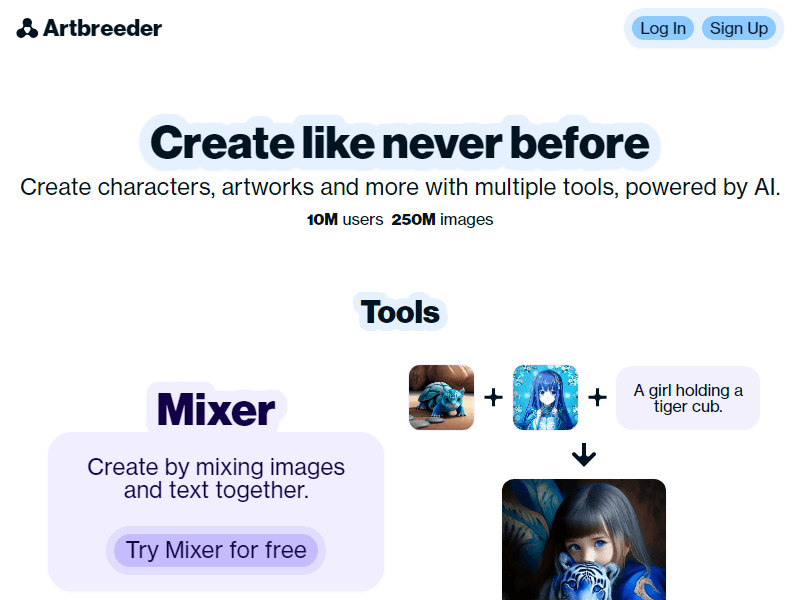
Artbreeder is a browser-based creative platform for generating and developing images through mixing, branching, reference images, and text. Its appeal is the ability to keep exploring an image rather than treating each prompt as an isolated request. The current official tools index includes Splicer2, Mixer2, Prompter, Composer, and Collager, alongside older Splicer workflows and experimental tools. Each entry provides a different starting point for a visual idea.
That approach is useful for character concepts, mood exploration, visual world building, and early art direction. A writer might be looking for a character's general appearance; an illustrator might be comparing shapes and palettes before drawing a finished piece. Artbreeder gives them images to react to and develop. The work still involves choosing which visual traits matter and deciding when a result is useful. It is especially suited to exploration where a surprising variation can be valuable.
The product does not have to be approached through every tool at once. Start with the question that is hardest to express. If several references contain parts of the idea, use a mixing workflow. If the scene is easier to describe in words, begin with text. If layout is the main uncertainty, a collage can establish a spatial suggestion. Choosing the right starting operation is more productive than generating a large number of unrelated images and hoping they converge on the same direction.
Splicer2 presents image selection through browsing, shuffling, and uploading, with branching and a mutation-rate control. These controls support a process of taking a useful visual direction and exploring nearby possibilities. The important distinction is between changing the concept and varying a concept you already like. Branching gives a creator a way to continue from a particular image instead of repeatedly starting with an unrelated result.
For a fictional character, identify two or three essential visual qualities first: perhaps a broad silhouette, an unusual hair shape, and a restrained expression. Use the branches to compare those qualities across variations. A result with appealing lighting may still be wrong for the character if its expression communicates the opposite personality. Keeping a short written brief next to the image exploration prevents attractive surface details from quietly replacing the idea you intended to develop.
Mutation is best assessed as a creative setting rather than a quality score. More change can help when the current direction has become repetitive; less change can help when you are trying to preserve an interesting relationship between features. Compare the results as a group, then decide which direction deserves another pass. The aim is not necessarily to find a perfect finished portrait. It can be to discover a combination of traits that gives a later illustration or design a clear starting point.
Mixer2 accepts up to four reference images and text guidance, then creates concepts with AI-written prompts for image generation. That makes it useful when the brief exists as a collection of examples rather than a polished prompt. A creator can bring together references for subject, texture, lighting, or visual atmosphere and ask the system to suggest ways to develop them.
The references need a purpose. For example, one image might supply the overall silhouette, a second might suggest the environment, and a third might establish color. If all four references communicate incompatible subjects and styles, the resulting ideas may be interesting but difficult to evaluate. Write a sentence stating what each image contributes before mixing them. This is practical art-direction advice: it makes it easier to understand why a generated concept succeeds or fails against the brief.
Read the generated concept wording as well as looking at the image. A prompt may introduce a detail you did not intend or treat a minor reference element as the central subject. Keep the ideas that clarify the project and revise the rest. Mixer2 is most useful as a brainstorming step where references become possible directions. Its output is not a promise that every later generation will preserve exactly the same arrangement, character, or material.
Prompter is a text-oriented image workflow with model settings and input images. Its interface includes an instruct mode that invites conversational descriptions of image changes. This is helpful when the next step is specific enough to state directly, such as changing the color of a garment or exploring another visual treatment. The available controls should be checked in the active interface because model and workflow options can evolve.
Work through changes in a deliberate order. Establish subject and composition before spending many attempts on small details. If the person is facing the wrong direction, changing the embroidery on the jacket is unlikely to solve the actual problem. When a change has a clear purpose, compare the new result with the previous one and ask whether the requested element improved without losing a useful trait elsewhere. Keep a record of the choices that define the direction.
Composer is listed by Artbreeder as a tool for combining images and text with more precise mixing. It suits a brief where the reference images carry something words alone would describe poorly. A practical example is combining a character reference with a color or environment reference, then using text to explain the intended relationship. Treat the references as guidance for the generated image rather than interchangeable files that must appear as literal pasted objects.
Composer and Prompter can be approached as complementary creative routes. A text-first result may reveal a useful image to mix later, while a reference-based result may need a more direct instruction. Decide which part of the idea is still unresolved before switching tools. This keeps the process connected to the project and avoids turning tool exploration into a long sequence of visually unrelated experiments.
Artbreeder describes Collager as a way to assemble shapes, images, and text. A rough spatial arrangement can be useful when you know where major elements belong but do not need to draw a finished scene. For a landscape concept, simple blocks can indicate a foreground structure, a distant horizon, and an area of sky. Text then communicates the subject or atmosphere the visual arrangement is meant to suggest.
Use the collage to solve the largest composition problem first. Check where the viewer's attention should go, how much space the focal subject needs, and whether the foreground and background are visually distinct. The generated interpretation can still depart from the rough arrangement, so review the actual outcome rather than assuming a placed shape establishes exact geometry. For an illustration that needs strict perspective or a specific layout, use the result as reference for a more controlled finishing process.
The tool can also make a brief easier to discuss. Two collaborators may disagree about “a dramatic landscape” but agree once they see a simple arrangement with a small figure under a large structure. That rough plan gives the image generation a more concrete question to answer. The value is in communicating the intended relationship between elements, not in how polished the initial collage looks.
Artbreeder has a public browse area where images can become starting points for further exploration. Its support page states that images are public domain under CC0 and recommends linking to the original Artbreeder image when sharing something closely related. It also describes subscriber private mode. These rules are central to deciding whether the platform fits a project that involves public remixing or a client direction that needs to remain private.
For a public creative exercise, a browsable lineage can be useful: an image leads to variations, which lead to another direction. For a confidential project, check the active privacy settings before uploading or creating. Do not assume the existence of a paid subscription automatically means every image was made privately. Keep reference permissions and the project brief organized separately, particularly if you upload photographs of real people or material belonging to a client.
When developing from another creator's image, record what you changed and keep the original link. This makes the creative history easier to explain even where the platform's stated license permits reuse. It also helps a team distinguish an early reference from the direction eventually chosen. A mood board becomes more useful when each image has a known role and origin, rather than becoming an unlabeled folder that nobody can reconstruct later.
Imagine a writer and illustrator developing a supporting character for a fantasy story. Begin with a short description covering age impression, temperament, clothing shape, and the environment the character belongs to. Choose references that explain those qualities. Avoid starting with a photograph that communicates an entirely different role simply because its lighting is attractive. The first goal is a clear character direction that both collaborators recognize.
Use Mixer2 to explore concepts from the references and guidance. Select a direction that fits the story, then use a mixing or branching workflow to compare variants. Look at silhouette, expression, and color relationship separately. If the results are drifting, return to the brief and identify which trait has been lost. Use a conversational image change only when there is a concrete correction to request, such as a different garment color or a less ornate visual treatment.
Collect a small final set showing the direction and the unresolved questions. One image might be strongest for the face, another for costume, and a third for atmosphere. Explain those roles to the illustrator instead of presenting the set as a guaranteed consistent character model. The illustrator can then turn the exploration into a deliberate design with accurate anatomy, a coherent costume, and repeatable views. This is an example of editorial use of Artbreeder's documented tools, not a claim that the platform automatically produces a finished production sheet.
Artbreeder's strength is variation, which also means that exact identity and geometry need attention. The support guidance explains that uploaded images are encoded into a representation used by the neural networks and can differ from the original. That is a particularly relevant limitation for someone expecting a photograph to remain exact. A conceptual portrait of a fictional person is a different requirement from a faithful edit of a real person's headshot.
Generated concepts should be inspected for details that matter to the deliverable. Costume fastenings, hands, perspective, and recurring symbols can affect whether an image is useful as final art or only as a reference. A visually compelling result may be unsuitable for a logo, an exact product depiction, or a measured architectural plan. Decide whether the project needs expressive exploration or precise construction before choosing the workflow.
The tool index includes experimental or additional tools whose behavior and access may differ from the main workflows. Avoid treating every listed experiment as an established production capability. For a recurring commercial process, evaluate the particular tool you intend to use, the output size, privacy behavior, and available export options. The useful question is whether it provides the kind of source material your next production step needs.
Artbreeder offers free entry and paid Pro memberships. Its pricing page presents credit-based tiers, monthly and annual billing options, and benefits such as privacy controls, Google Drive synchronization, and faster or expanded creation access. Credits and image counts should be assessed for the specific tool rather than treated as a single universal cost per finished image. Check the current plan table and the active tool's credit display before choosing an allocation.
A sensible evaluation is a small project that uses the operations you actually need. Note how many iterations produce a useful direction, whether the downloaded result meets the intended next step, and whether privacy settings suit the work. This provides a more meaningful buying decision than selecting a tier from the largest advertised image allowance. For a concept workflow, the useful output may be a few carefully chosen references rather than hundreds of images.
No. Artbreeder offers image mixing and branching workflows as well as text-oriented tools. Choose the route that best expresses the part of the concept you need to explore.
Do not assume that. Artbreeder's support guidance explains that uploads can change when encoded for its image models. Use a conventional photo editor when exact photographic preservation is the central requirement.
Artbreeder documents private mode for subscribers. Check the active settings and terms for the workflow before creating confidential material.
Artbreeder states that its images are CC0 and may be used commercially. Consult its terms and consider the reference material used in your own project when deciding how to publish a result.