UPDF is a PDF editor for Windows, Mac, iOS and Android with editing, conversion, OCR in 38 languages, e-signatures and an AI assistant that chats with, summarizes, translates and mind-maps PDFs.
AI PDF ToolsFreemium
ChatPDF answers questions about PDF, Word, PowerPoint, Markdown and text files with clickable citations beside the document, plus multi-file folders, summaries, flashcards and a developer API.
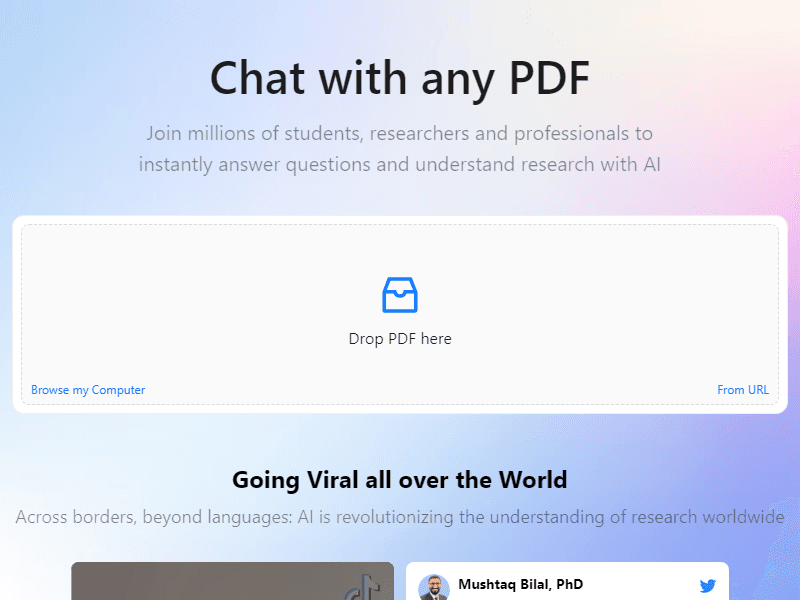
ChatPDF is a web app for asking questions about a document instead of reading it page by page. You drop in a PDF, or a Word, PowerPoint, Markdown or plain-text file, and type a question. The answer appears next to the document with citations, and clicking one scrolls the viewer to the passage it came from. The homepage pitches it at researchers, students, and professionals working through contracts, reports and manuals.
According to the FAQ, ChatPDF maps the content of your document and pulls the relevant passages when you ask something. A narrow question, such as which sample size the authors used in their second study, usually lands on one clear passage you can check in seconds.
The side-by-side view is the practical difference from pasting text into a general chatbot, because the source stays open while you read the answer. ChatPDF says it accepts documents in any language and can answer in another one, so a German report can be questioned in English. The FAQ also says queries are routed between OpenAI's GPT-4o and GPT-4o-mini models.
Picture a master's student with eight papers on remote-work productivity. She creates a folder, uploads all eight and asks which studies measured output directly and which relied on self-reported surveys. ChatPDF answers with citations into each paper, and she opens every one to confirm the method description. Next she asks for the reported effect sizes and copies them into her own spreadsheet with page numbers. Finally she generates flashcards from the two papers her seminar will discuss and exports them to Anki. She still reads the methods sections of anything she plans to cite.
A citation shows where an answer came from, but tables, footnotes and hedged findings still deserve a manual check. The homepage doesn't mention OCR, which means a scan without a text layer may give poor results; running it through an OCR engine such as Tesseract OCR first is a sensible step. Teams that want a shared workspace or an embeddable document assistant should also compare Humata. On privacy, the FAQ says files are encrypted in transfer and in storage with a SOC2 Type II certified storage provider, and that you can delete documents at any time.
You can try ChatPDF without signing up. The FAQ describes a free plan that analyses 2 documents per day and a ChatPDF Plus plan with unlimited document analysis and more advanced features. Free flashcard creation also has daily limits, which Plus removes. The website doesn't publish a price list, so check the Plus price in the app. Developers can use the ChatPDF API to add a PDF by URL or file upload and then send chat messages about it; the documentation sets a limit of 2,000 pages or 32 MB per file.
No. You can upload a file and ask questions straight away. A free account adds saved history and multi-document chats.
Yes. The FAQ lists .doc, .docx, .ppt, .pptx, .md and .txt files alongside PDF.
No. The API documentation describes it as stateless, so your application sends the relevant history with each request, up to six messages.