adobe.com
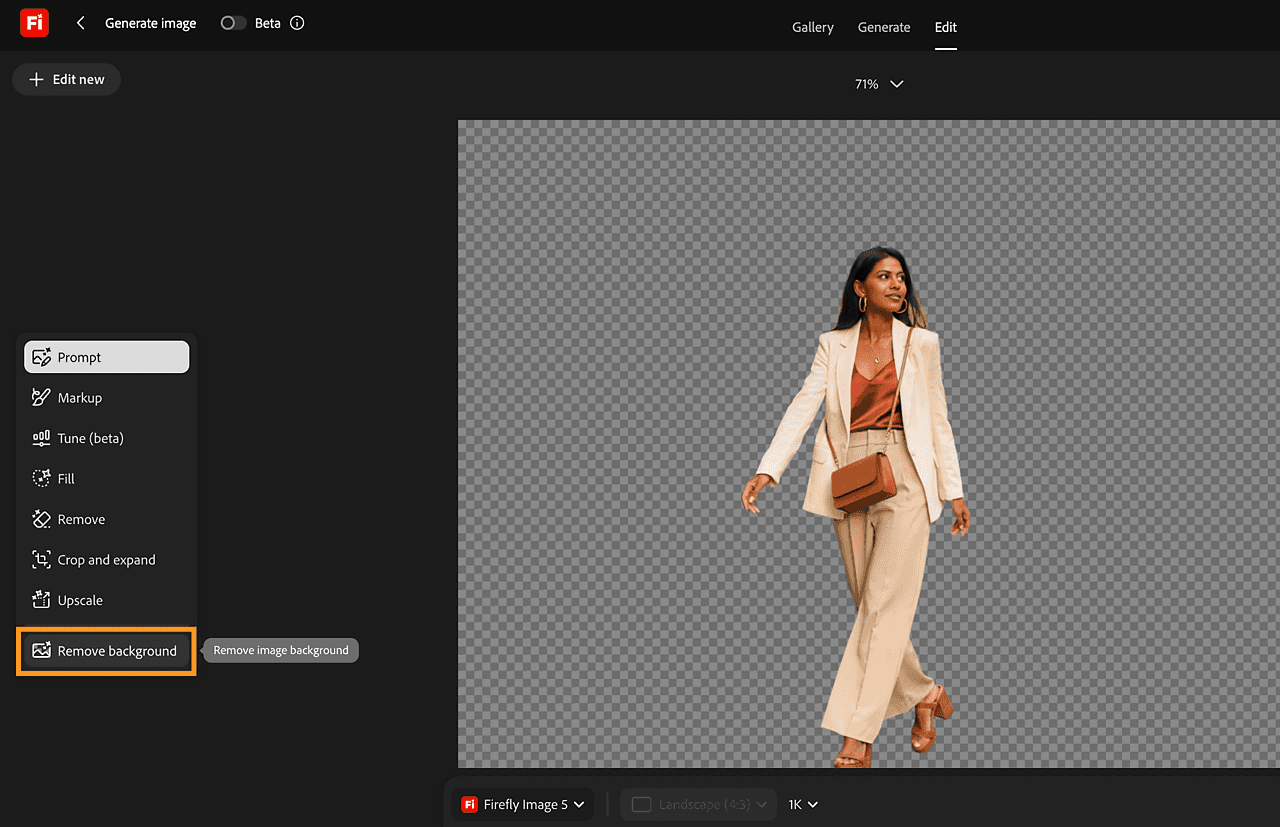
Adobe Firefly removes photo backgrounds for product images, portraits, and social posts. Download a transparent PNG, add a new background, or keep editing in Firefly and Adobe Express.
AI photo editing tools help you change an image you already have. They can handle jobs such as removing a background, separating a subject, improving image detail, or changing part of a scene. The right tool depends on the photo and the result you want to create.
A background remover separates a person, product, or other subject from its surroundings. A transparent PNG lets you place that subject in a new layout without a rectangle of unwanted scenery around it. This is useful for shop images, presentation slides, profile graphics, and thumbnails.
Other photo editors may help with lighting, color, unwanted objects, or image size. Some focus on a single task, while others combine several editing features in one workspace. Start with the change you need most rather than choosing a tool only because it has a long feature list.
Try an image similar to the ones you normally use. Look closely at fine edges, textures, and shadows, and check how the result looks at the size where it will appear. For a product catalog, consistency across images matters as much as the quality of one sample. For a portrait, pay attention to hair and the natural appearance of the subject.
Check the supported upload formats and the type of file you can download. If you need a cutout, make sure the export preserves transparency. If you plan to make further changes, consider whether the tool lets you continue editing or move the image into your usual design app.
Free tools and free plans can be a useful starting point. Before editing a larger collection, check the download resolution, usage limits, and access to batch processing. Read each listing for the features available in that specific tool and follow its website link for current plan details.